How pickup and return works
Skip the counters. Skip the queues. Skip the paperwork. When you book on Turo, car rental comes to you.
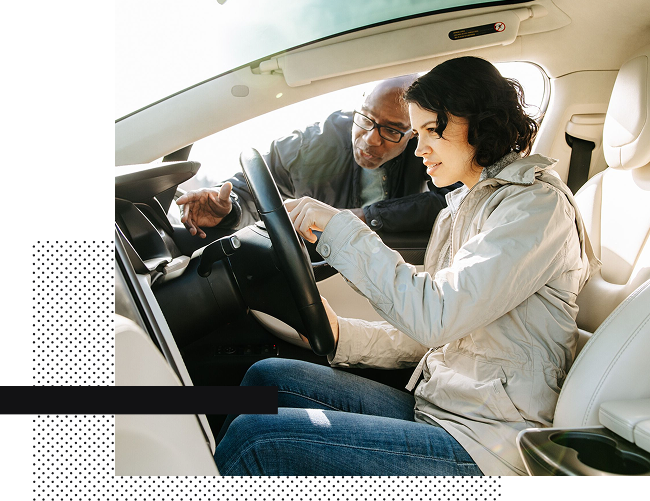
Find a pickup option that suits you
Pick up or delivery? It’s your call.

Search by location
Search by address, airport, station, hotel, or neighbourhood and choose the time and date you want your wheels.

Doorstep delivery
Filter your options to find a car that can be delivered to you at home or wherever you need it.

Confidence, built-in
All UK trips are automatically covered by third-party liability insurance*. Want more peace of mind? Choose from three protection plans — Premier, Standard, or Minimum — to limit the amount you’ll pay if something happens to the car
Simple check-in
The Turo app walks you through how to check in for your trip.
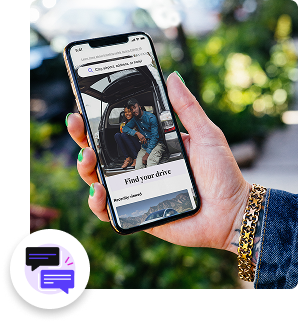
Message your host
After booking, contact your host through the Turo app so you’re connected before your trip starts.

Upload your licence
The app will ask you to upload a close-up of your driver’s licence and a selfie holding your driver’s licence beside your face.

Get the keys
Each host chooses the best way to give you access to their car, whether that’s in person, using a secure lockbox, or unlocking the car remotely.

Take some pictures
The Turo app will guide you through which photos of the car to take before you set off. This is your record of the car’s condition, mileage, and fuel or charge level.
Message your host
After booking, contact your host through the Turo app so you’re connected before your trip starts.
Hit the road
After checking in, you’re good to go

Trip details
All the details of your trip are in the app. It’s also where you can request changes, like extending your trip or changing the drop-off location.

Stay connected
Message your host anytime or get more help from Turo whenever you need it.
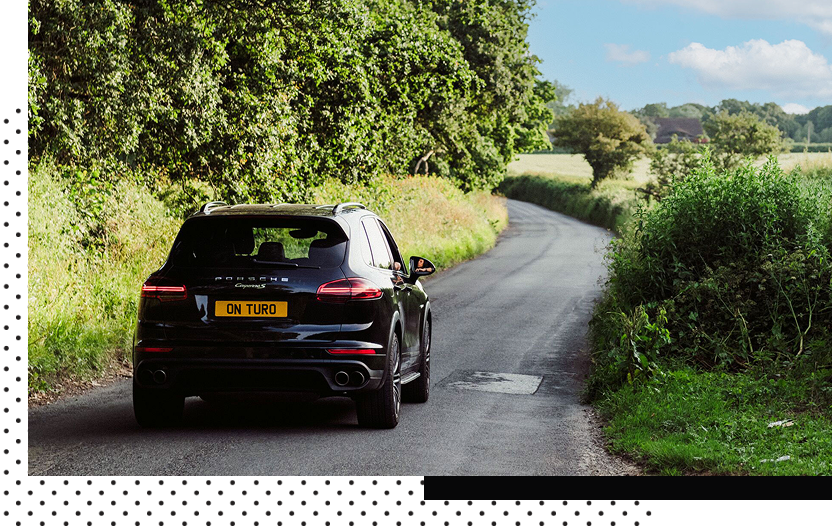
Drop off
When your trip ends, return the car to where you picked it up.

Fuel up
Refuel or recharge to the same level as when you picked up the car unless you've arranged otherwise with your host.

Check out
Follow the app’s checkout steps, including taking return photos.

Hand back the keys
Leave the keys in the agreed-upon spot or return them to your host.

Frequently asked questions
What do I need to book a car on Turo?
To book a car on Turo, you must create a Turo account, be 18 years old or older in the US, 21 years old or older in the UK and Australia, 23 years old or older in Canada, have a valid driver’s license, and get approved to drive on Turo. When you’re booking your first trip, you’ll go through a quick approval process by entering your driver’s license and some other information. In most cases, you’ll get approved immediately, and you’ll be set for every future road trip, business trip, and family vacation!
Do I need my own insurance?
No, you don’t need personal insurance coverage to book a car on Turo.
What protection plan options are available on Turo?
When booking a car on Turo, you’ll choose between three protection plans — Premier, Standard, or Minimum — to get the level of protection that’s right for you.
Is third-party auto liability insurance provided for trips on Turo?
Turo has arranged for third-party auto liability policy to be provided by ERS (Syndicate 218 at Lloyd’s) managed by IQUW Syndicate Management Limited, arranged via Turo’s broker, Lockton Companies LLP — you get unlimited coverage for bodily injury or death to others while coverage for motor third-party property damage is up to £20,000,000.*
How do I get discounts on cars in London?
On your Account page, make sure you’ve checked the box to receive email notifications, and enable push notifications from the Turo app in your phone settings — we’ll send you occasional promotions, discounts, and deals on cars in London.
Are there discounts on weekly or monthly trips?
Yes, many Turo hosts offer discounted prices when you book trips lasting 3+, 7+, or 30+ days. Additionally, hosts can offer “early bird” discounts for luxury cars booked a week or more in advance. So, get the best deals and lowest rates possible by booking longer trips, at least a week in advance.
See more about promotions & discountsHow can I drive unlimited miles during my trip to London?
Some hosts offer unlimited distance for a trip; others set a daily distance limit. On the vehicle pages, you’ll see the total miles or kilometres you’re allowed to drive under the heading “Distance included.” You can find cars offering unlimited mileage with every trip by using the “Unlimited distance” filter.
What types of cars can I book in London?
Browse the widest selection of vehicles for every occasion and budget on Turo. Find an SUV for a family road trip, an economy car for commuting, a pickup truck for some errands, or an exotic sports car for a special night out in London.
What payment methods does Turo accept?
Turo accepts most credit cards issued by major financial institutions, including American Express and Discover cards, as well as debit cards with a Visa or Mastercard logo that are linked to a checking account.
Apple Pay and Google Pay on mobile devices are also accepted, but Turo does not accept cash or checks as valid payment methods.
What is the cancellation policy for guests on Turo?
You can cancel and get a full refund up to 24 hours before your trip starts. If you book a trip with less than 24 hours’ notice, you have one hour after booking to cancel free of charge. If you cancel after the free cancellation period ends, you will be charged a small cancellation fee.
What are the cleaning and safety policies on Turo?
Under the enhanced cleaning policy, hosts are required to clean and disinfect their vehicles thoroughly before every trip, so you can feel safe and comfortable behind the wheel. Turo hosts have access to training materials on enhanced cleaning practices, using the latest recommendations compiled from the CDC, EPA, WHO, and vehicle detailing experts, to help prevent the spread of COVID-19.
Is Turo a rental car company?
No. Unlike rental car companies, Turo is a peer-to-peer car sharing marketplace where you can book directly from trusted local car owners in the US, Canada, and the UK. Turo does not own any vehicles — Turo hosts share their own personal cars and set their own prices, discounts, vehicle availability, and delivery options.
Are there cars available near London airport?
Yes, there are hundreds of cars available on Turo at locations near London Heathrow Airport. To save time, have your car rental alternative delivered for pick-up and dropoff at your London airport and skip the rental counter at Heathrow Airport, Stansted Airport, Gatwick Airport, Luton Airport, London Southend Airport, and London City Airport!
Alternatively, you can have your car delivered to the address of your London hotel or vacation rental, or a nearby convenient location, for a more flexible pickup time.
What types of sports cars, luxury cars, or exotics can I book in London?
Browse a wide range of luxury vehicles for all kinds of occasions and budgets on Turo in London. Use the “Category” filter to search through all available luxury sports cars in your area. You can also use the “Deluxe class” or “Super Deluxe class” filters to browse premium or luxury car models. Or use the “Vehicle makes” filter to find cars from specific luxury brands like Bentley, Porsche, Tesla, Jaguar, Aston Martin, BMW, Mercedes-Benz, Range Rover, and more.
Is there a fee to add additional drivers to my trip?
There is no fee or additional charge for adding a driver to your trip on Turo. Only the guest who booked the trip can request to add drivers; Turo hosts cannot do it for you. We encourage you to request to add additional drivers before your trip starts, though guests in the US, Canada, and Australia can request to add a driver while a trip is in progress.
To speed up the process, have your additional driver create a Turo account and get approved to drive before you request to add them. All drivers must have a valid driver’s licence and meet the age requirements for the car you’ve booked. You can request to add drivers via the “Trips” tab in the Turo app without additional driver charges or extra costs.