posted on November 11, 2026
You’ve booked the flights, packed the diapers, and mapped out all the fun stuff. Now there’s one big question left: where’s the car seat coming from? If you’re wondering how to rent a car with car seats, it’s easier than it sounds when you rent a car on Turo.
On Turo, plenty of vehicle listings offer car seats and booster seats as optional extras, and you can filter your search to find them. Go online, filter your search, and compare options so you can get back to the exciting part: planning your trip.
In this guide, we’ll cover:
- 3 options for adding car seats on a rental
- Should you bring your own car seat or rent one?
- How to rent a car with car seats on Turo, step by step
- What types of child-friendly extras you can find on Turo
- What to ask before pickup
- Choosing a rental car that fits your car seats
- Frequently asked questions about renting a car with car seats
3 options for adding car seats on a rental
There are three main ways to add car seats to a rental car booking on Turo: bring your own, add a car seat as an extra when renting, or rent one at your destination. The most convenient option is renting a car with car seats as an optional extra, meaning the child seat will be fitted and installed before you pick up the vehicle.
Here’s how the three options compare:
- Bring your own: The most familiar option. You know exactly how the child seat works and your child gets to travel in a seat that feels like home. The catch is that it’s heavy to lug through airports and only works if the seat is compatible with the car you’ve booked.
- Add a car seat extra when booking: The easiest option. When booking a car on Turo, look for vehicle listings that mention infant seats or booster seats as an extra you can add to your trip. When you collect your car, the car seat is ready to go.
- Rent one at your destination: Third-party baby gear rental services let you rent car seats (along with strollers and cribs), and many companies will install the seat for you. The drawback is that you’ll need to pay delivery fees on top of the seat rental, and many companies have minimum periods for rental car seats (usually three days or more).
Should you bring your own car seat or rent one?
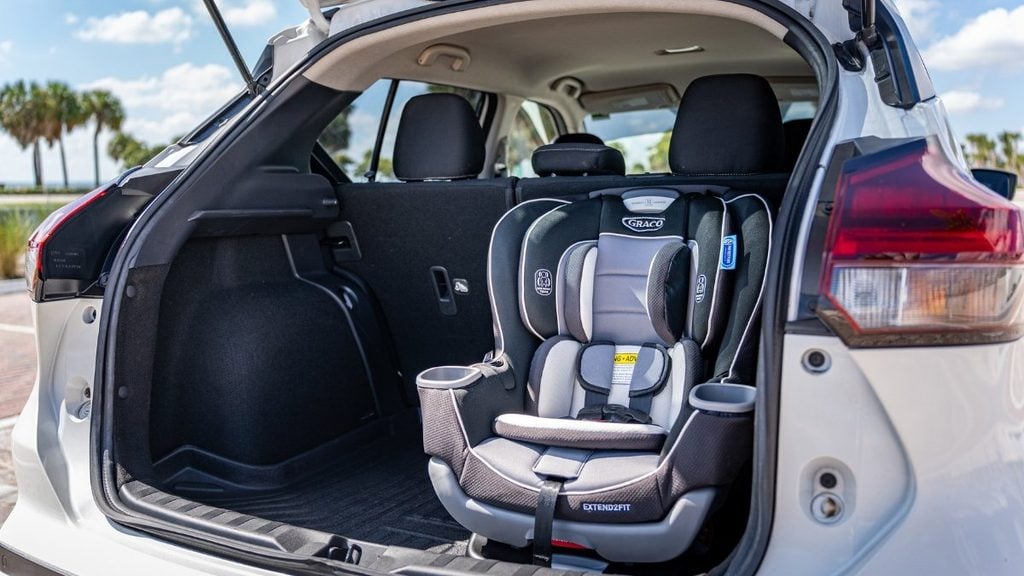
Every car seat option comes with trade-offs to consider. In most scenarios, adding a car seat as an extra to your Turo rental is the most hassle-free option. There’s no need to haul around a bulky car seat through the airport, all bookings happen in one place, and you know exactly what you’ll get before you book.
| Bring your own | Add a car seat extra on Turo | Rent at your destination | |
|---|---|---|---|
| Best for | Parents who want a familiar seat and already know how to install it. | Families who want to travel light and confirm details in one booking. | Longer trips, or parents who want a specific seat or an install service. |
| Convenience | Lowest. You’re carrying it through the airport and installing it in a rental car. | Highest. Add it when you book, and it’s ready when you pick up the car. | Medium. It’s a separate booking, plus delivery. |
| Cost | No rental fee, but check your airline’s policy on checked car seats. | Vehicle owners set the price, per trip. It shows as its own line item at checkout. | Rental fees plus delivery. |
| Seat history | You know exactly where it’s been. | Ask the vehicle owner about the seat’s age and condition. | Rentals vary by company. |
| Installation | You install it, and you know how. | Ask ahead if it’ll be set up already. | Some companies will install it for you. |
| Fit with your rental | Only works if it’s compatible with the car you booked. | Filter for “child seat” listings and check each listing’s extras. | Pick a seat that suits the car you’ve booked. |
| Considerations | It’s heavy, bulky, and can be a hassle with luggage. | Availability varies by location and listing. | Delivery fees and minimum rental periods (often three days or more). |
How to rent a car with car seats on Turo, step by step
On Turo, securing a rental car with a car seat is simple. Filter for vehicles with a child seat included, check the features list for details, and add this optional extra at checkout. After you book your rental car, message the vehicle owner to confirm the exact car seat details and make sure it’s the right fit for your little ones.
Here’s how to rent a car with child seats on Turo:
- Start your search: Enter where you’re going and your travel dates to explore what rental cars are available near you.
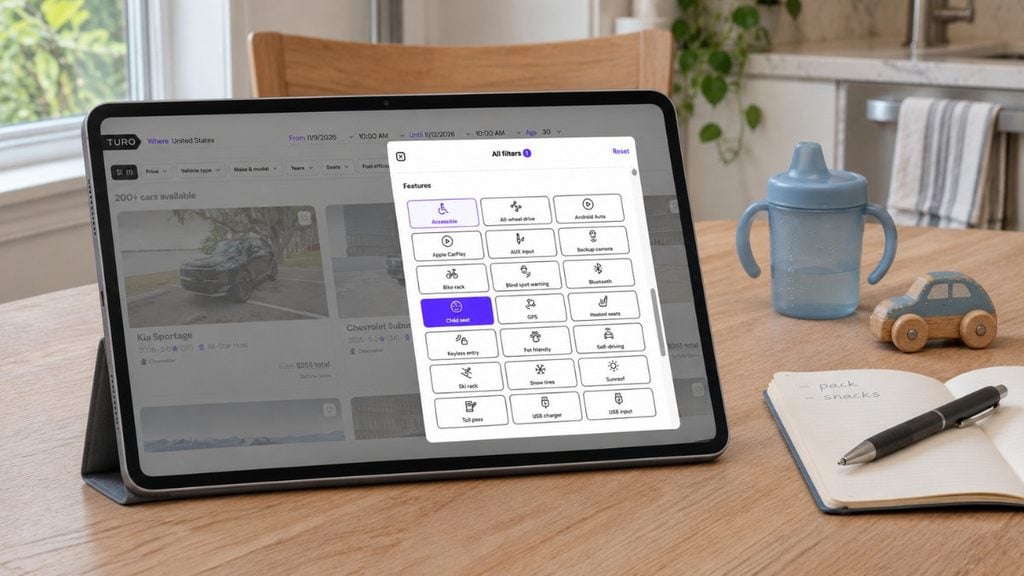
- Filter your search for “child seat”: Navigate to filters and scroll down to ‘Features’. Here, select the ‘Child seat’ option and select ‘View results’ to see all cars with child seats near you.
- Check the extras on each listing: Each vehicle listing will have more details about the car seat options available. Scroll down to ‘Extras’ and look for add-ons like booster seats or child safety seats.
- Add the extra when you book: Once you’ve found your car, head to the checkout page to add car seats as an extra. Here, you’ll see the cost of adding each seat and more details about the car seat (such as the brand name and its age or weight limits). The costs of adding a child seat appear as a separate line item at checkout.
- Message the car owner after booking: Once your booking has been confirmed, you’ll be able to message via the Turo app. This is a great opportunity to confirm car seat details before you travel, such as the exact model or whether it needs to be installed when picking up the car.
What types of child-friendly extras can you find on Turo?
There are plenty of child-friendly extras you can add to your trip on Turo, from child seats to strollers and even coolers. One of the easiest ways to take the stress out of a family trip is to add a few convenient Extras.
Many vehicles offer optional add-ons, so you can customize your trip and skip lugging half your house through the airport. Here’s what you might find:
- Car seats: These are traditional child safety restraints. The exact details depend on the listing, so check the features list and the Extras information at checkout before you book.
- Booster seats: Designed for older kids who’ve outgrown a car seat but still need a boost to sit safely.
- Strollers: Strollers are great for theme park days and long walks around a new city. Renting one with your car means one less thing to haul through the airport.
- Beach gear: Some listings bundle the basics, like folding beach chairs, beach towels, and an umbrella. Others offer camp chairs or a collapsible beach wagon, which makes hauling snacks, toys, and sunscreen to the sand much easier.
- Coolers: These are perfect for keeping drinks and snacks cold on a long drive or a day out.
- Bicycles or sports gear: Some listings offer bikes and other gear, handy if you’re planning an active family getaway.
On Turo, most child-friendly Extras are grouped under “gear,” which covers physical items like child safety seats, picnic baskets, bicycles, kayaks, camping gear, and coolers. You’ll also find plenty of conveniences available as Extras, including prepaid electric vehicle charging, unlimited mileage, and pet-friendly rentals.
Keep in mind that availability depends on your location, and each vehicle listing sets its own extras. Car owners also set their own prices, so compare your options before booking.
What to ask before pickup
Once you book your trip on Turo, you can message the vehicle owner via the Turo app. Think of this as a “right after you book” checklist. Sending your questions early is a smart move. If you need to cancel, it’s best to do this during the free cancellation period.
Here’s what to ask:
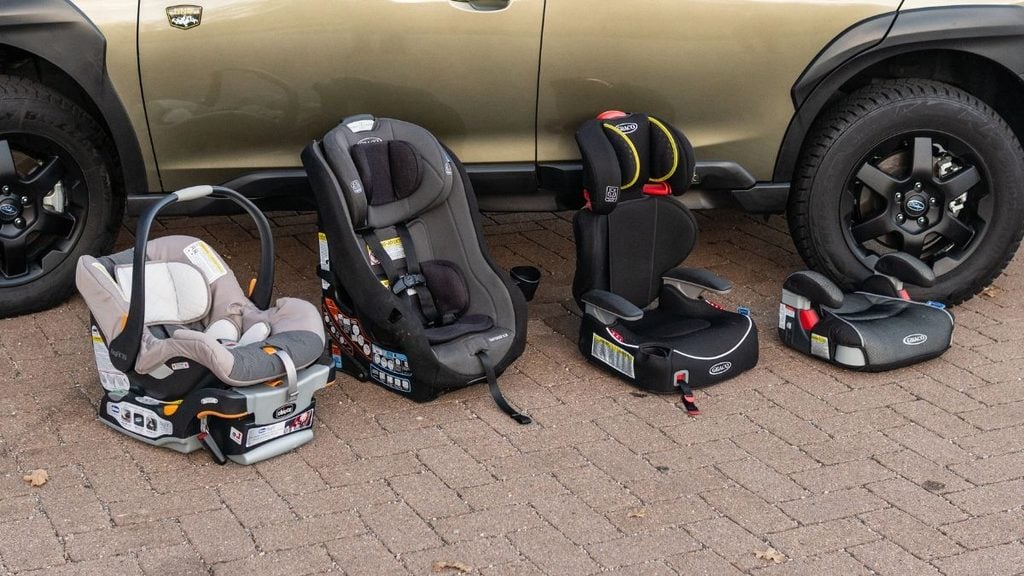
- What type of seat is it? Infant seats, convertible seats, and boosters are all built for different ages and sizes. Confirming the type up front makes sure it matches your needs.
- What’s the weight and height range? A seat only works if your child fits within its limits. Check these numbers, not just your child’s age.
- Is it rear-facing capable? Younger kids usually ride rear-facing, so you’ll want to know the seat can do that. It also helps you plan for back-seat space.
- How old is it, and has it been in an accident? Most seats have an expiration date printed on a label, and a seat that’s been in a crash may not be safe to use. Ask the owner to check the date and share its history.
- Can the owner share a photo or the model name? A quick photo or model name lets you look up the manual and installation tips before you arrive. It also helps you spot any wear or missing parts.
- Will it be installed already, or do I install it? Knowing the plan ahead of time saves you from an awkward wrestling match at the curb with a tired toddler.
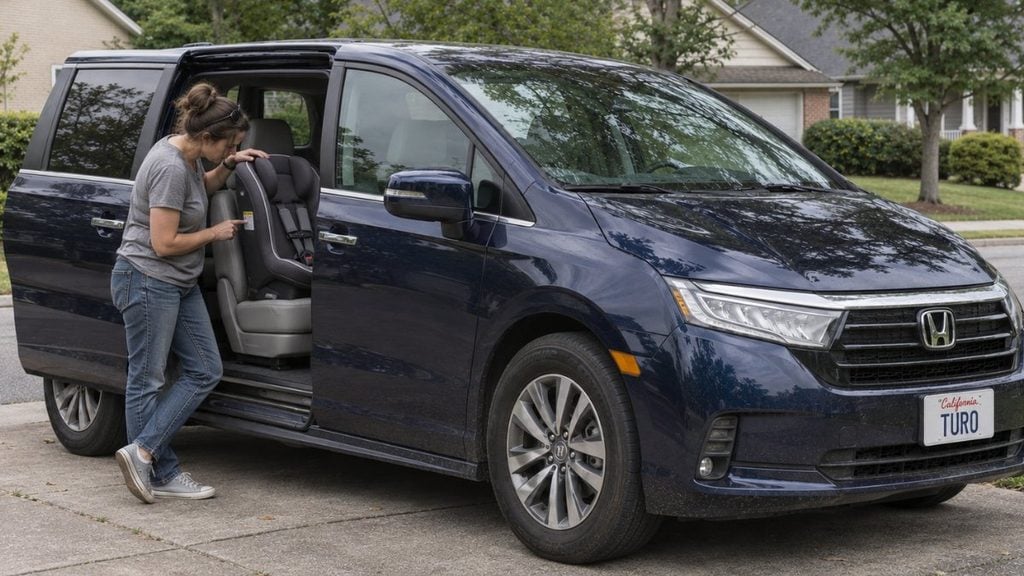
Choosing a rental car that fits your car seats
The right car make and model makes installing a car seat a lot easier, so it’s worth thinking about size before you book. Rear-facing seats take up more room than you’d expect, and smaller cars can get tight fast. Here’s what to look for when renting a car:
- Sedans: A full-size sedan has enough back seat legroom for a rear-facing seat without jamming the front seats forward. It’s a good pick for one child with moderate luggage.
- SUVs: A mid-size or full-size SUV gives you more room for the seat, a stroller, and bags. If you’re traveling with two or more kids, a three-row SUV keeps everyone (and everything) comfortable.
- Minivans: These are great for bigger families, with easy-access doors and plenty of space for gear.
- Three car seats: Fitting three across one row takes a wide vehicle, or a three-row layout. Most cars have lower anchors in only two back-seat positions, so the third seat may need a seat belt install.
Check these before you book:
- Anchor points: Look for lower anchors and top tether anchors in the back seat, which make installation faster and firmer.
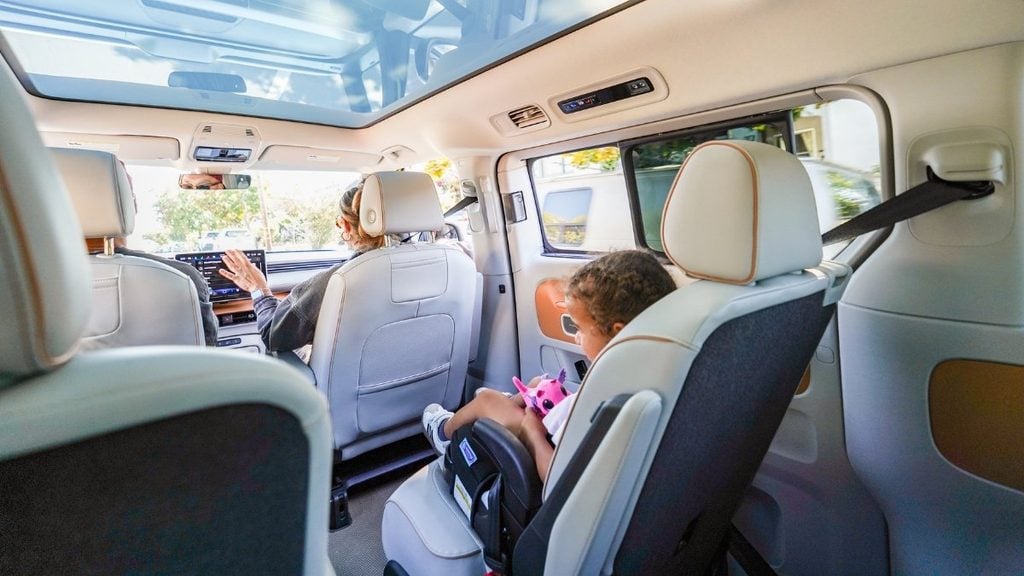
- Door openings: Wide rear doors make it much easier to lift a heavy infant carrier or a squirmy toddler’s seat in and out.
- Trunk space: Make sure your stroller and luggage still fit once the seats are in. A three-row SUV with the third row folded down often gives you more room than a compact sedan.
- Rear air vents: These keep little passengers more comfortable on long drives.
Frequently asked questions about renting a car with car seats
Can I rent a car with a car seat on Turo?
Yes, plenty of vehicle listings offer a car seat as an optional extra. Not every vehicle does, so check each listing’s extras before you book. You can also filter your search for listings that include a child seat to narrow things down. Some listings offer other options too, like booster seats.
Do I have to pay extra for a car seat in a rental car?
Usually, yes. Vehicle owners on Turo set their own price for extras, including car seats. The cost shows up as a separate line item at checkout before you book, so there are no surprises.
Can I bring my own car seat in a rental car?
Yes, you can bring your own child seat when booking a rental car. You know the seat’s history and how to install it. Just make sure it fits the car you’ve rented, and check your airline’s policy on checking car seats before you fly.
Planning your trip with car seats
Renting a car with car seats sounds like a lot to juggle, but it’s pretty simple once you know what to ask. Filter your search, check each listing’s extras, message the owner after you book, and give the install a quick check at pickup.
Skip the hassle of lugging gear through the airport and build the trip around your family. Find the right car, add the extras you need, and head off on your next adventure. Start your search on Turo and make your next family road trip or vacation a little easier.
Share your car, earn extra cash
Cover your car payments or earn some extra cash by sharing your car whenever you’re not using it.
Get startedHit the road
Browse thousands of cars for every occasion and budget near you, or wherever you’re going.
Browse cars
Lucinda Starr
Lucinda Starr is a travel and automotive writer with 5+ years of firsthand experience road-tripping across Australia, New Zealand, and beyond. She writes road trip guides for Turo, drawing on her experience behind the wheel to share practical insights on long-distance drives, destinations, and vehicles. Her travels have taken her across Australia’s East Coast, Victoria’s Great Ocean Road, the Northern Rivers, Byron Bay, and both islands of New Zealand. One of her most memorable journeys was an 11-day, 2,600+ km route from Auckland to Punakaiki and Queenstown. Lucinda has a particular passion for classic, rugged 4WD vehicles and the freedom they bring to exploring new places.