Directions to East Economy Garage A
Phoenix Sky Harbor International Airport (PHX)
From Terminal 3
1. Exit Terminal 3
Leaving the security checkpoint, follow signs labeled "PHX Sky Train" to the left; instead of baggage claim downstairs to the right.


2. Proceed to the PHX Sky Train
Following signs labeled "PHX Sky Train", cross the sky bridge. Proceed upstairs to the boarding platform using either the elevators to the left or the escalators on the right.


3. Board PHX Sky Train
Board the Eastbound Sky Train labeled "Terminal 4"/"East Economy". Take it all the way to the East Economy Station.


4. Exit PHX Sky Train
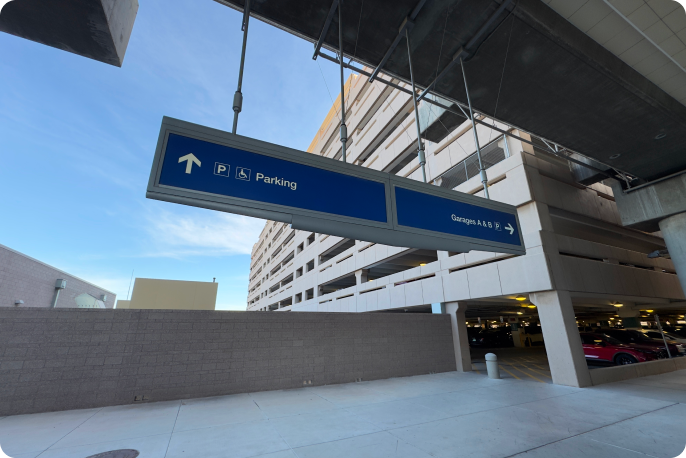
Exit the PHX Sky Train at the East Economy Station. Following signs labeled "Parking", proceed to the ground floor.


5. Proceed to East Economy Garage A
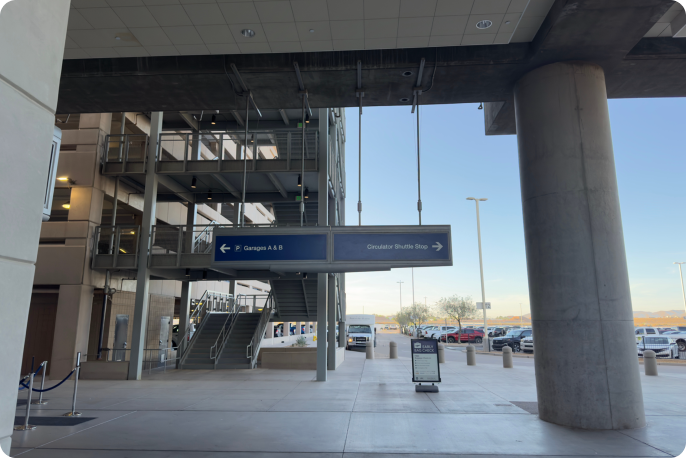
Once on the ground floor, proceed to East Economy Garage A by following signs labeled "A & B Garages".
6. Locate vehicle
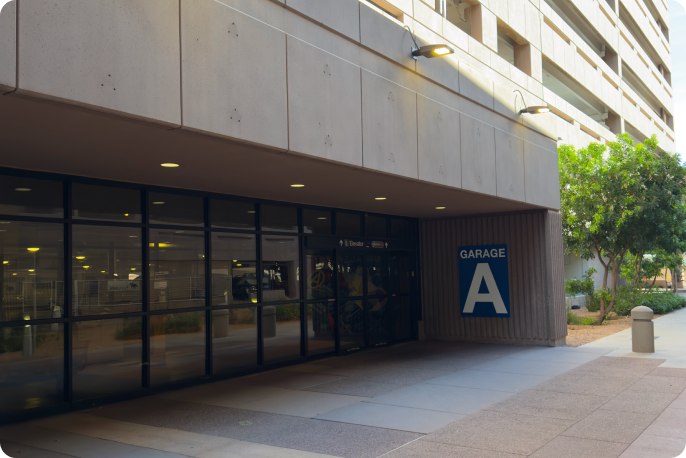
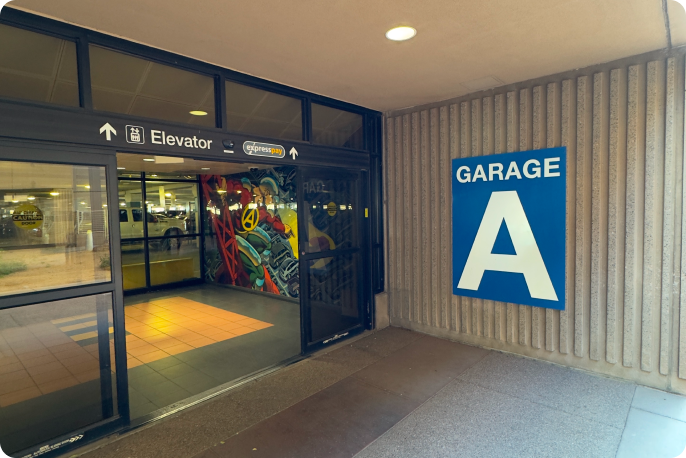
Walking up to the East Economy Garages from the East Economy Station, Garage A is located on your left. Please use instructions provided by your host to locate your vehicle. Elevators are located just inside the sliding door.
From Terminal 4
1. Exit Terminal 4
Leaving the security checkpoint, follow signs labeled "PHX Sky Train"; instead of heading to baggage claim downstairs.


2. Locate & cross sky bridge
Following signs labeled "PHX Sky Train", locate & cross the sky bridge.


3. Proceed to boarding platform
Following signs labeled "Economy", use either the elevator or escalator to continue up a floor to the Boarding Platform.


4. Board PHX Sky Train
Board the Eastbound Sky Train labeled "East Economy" & take it to the East Economy Station.


5. Exit PHX Sky Train
Exit the PHX Sky Train at the East Economy Station. Following signs labeled "Parking", proceed to the ground floor.
6. Proceed to East Economy Garage A
Once on the ground floor, proceed to East Economy Garage A by following signs labeled "A & B Garages".
7. Locate vehicle
Walking up to the East Economy Garages from the East Economy Station, Garage A is located on your left. Please use instructions provided by your host to locate your vehicle. Elevators are located just inside the sliding door.