Directions to Terminal 1 Parking
Minneapolis–St. Paul International Airport (MSP)

Directions to Green Parking Ramp
From Terminal 1
1. Proceed to the parking ramp
From the Baggage Claim, follow signs to “Ground Transportation and Parking”.
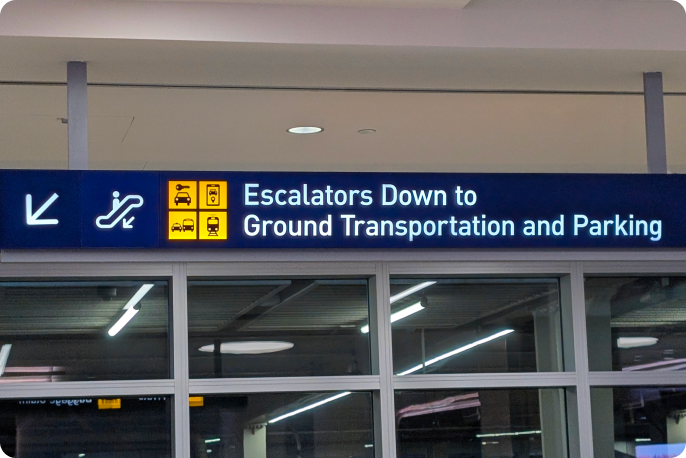
2. Take the escalator
Take the escalators down one level.

3. Take the elevator
Take the elevator that is between both escalators to "T".

4. Exit the elevator
Still following signs for the "Ground Transportation and Parking".
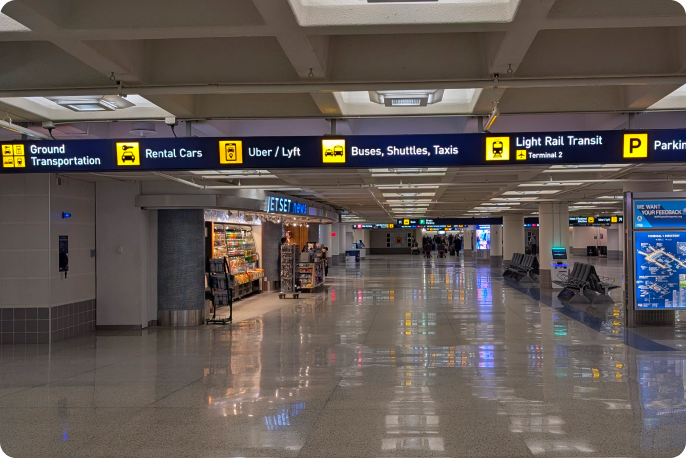
5. Continue straight
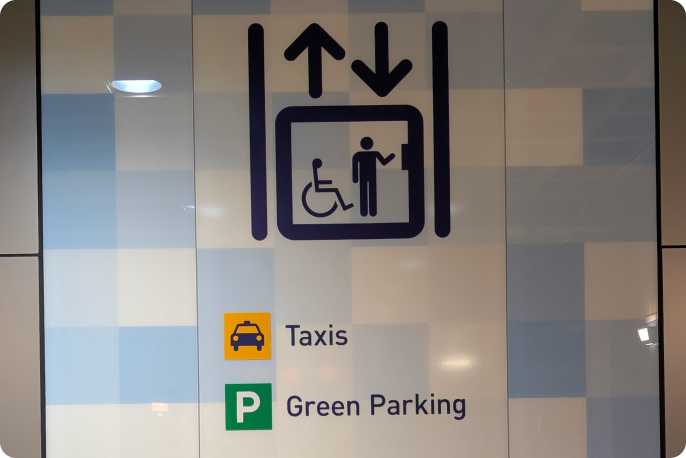
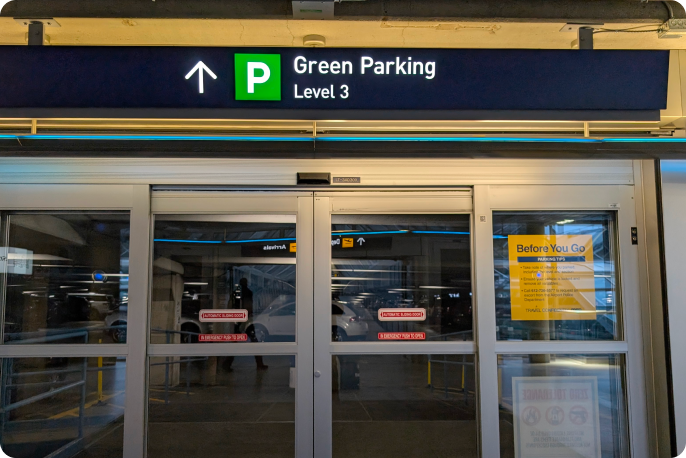
Follow signs for "Green Parking".
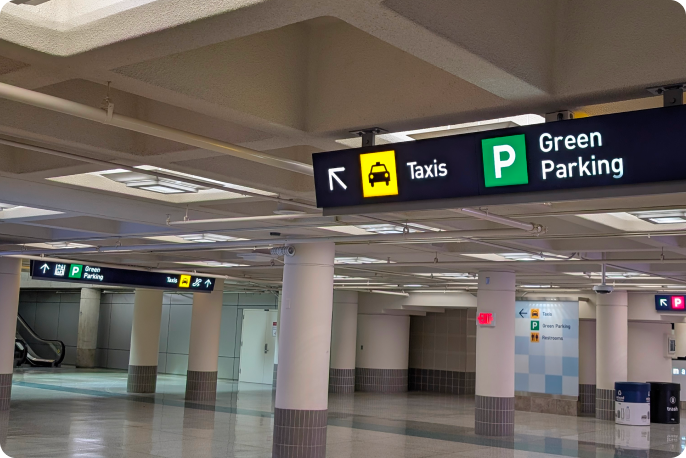
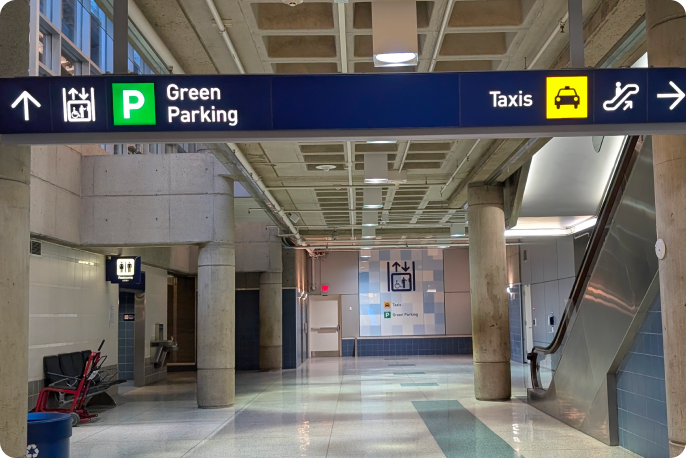
6. Find your vehicle
The Green Parking elevator will be on the left hand side.
From Terminal 2
1. From Baggage Claim
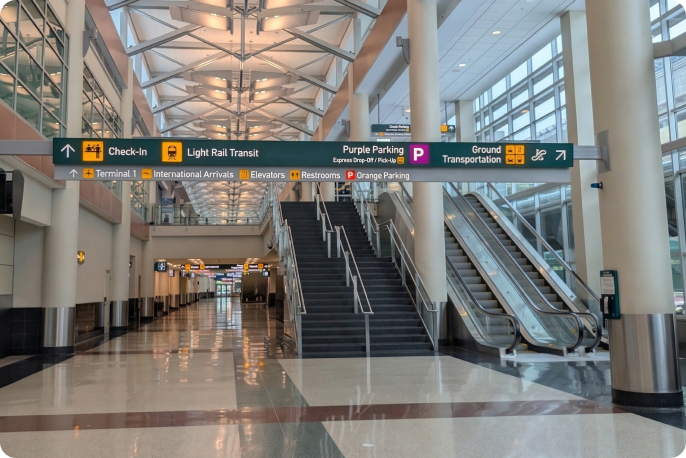
Follow signs to Light Rail Transit and go passed check in counter on your left towards the end of the Building (Arrivals).
2. Take elevator
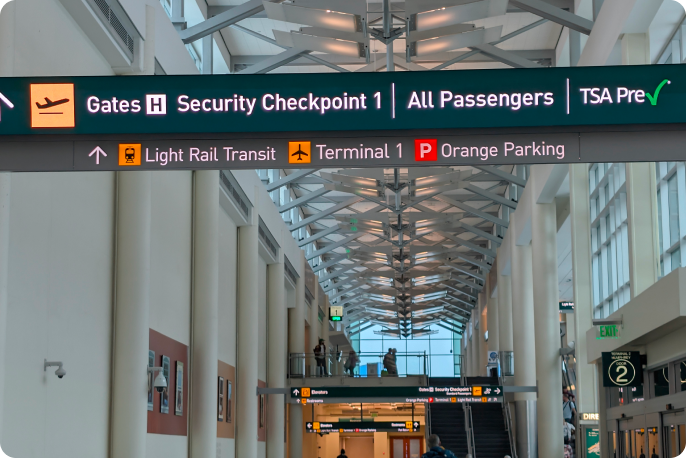
Take the elevator or stairs on your right and follow signs to "Gates H Security Check Point 1 Light Rail Transit Terminal 1 / Orange Parking".
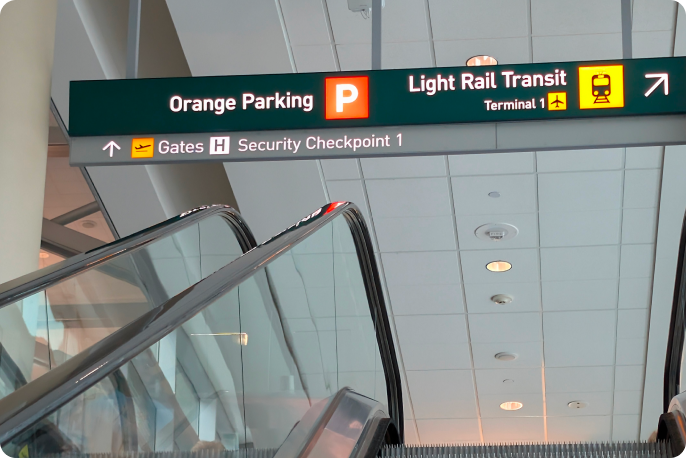
3. Continue to skyway
Turn right into the Skyway and at the end of the hallway turn left.
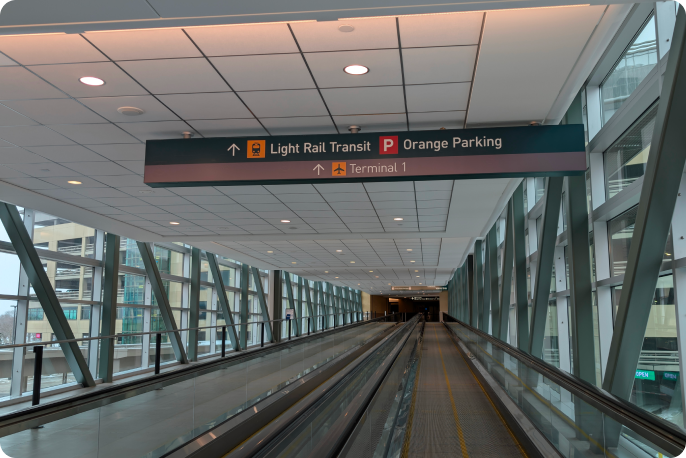
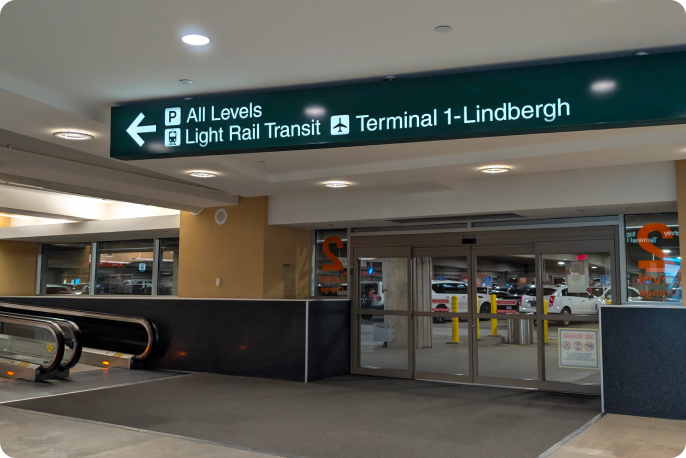
4. Proceed to light rail
At the end of the walkway turn left go down the stairs into the Light Rail Transit Ramp. No fare needed between Terminals.
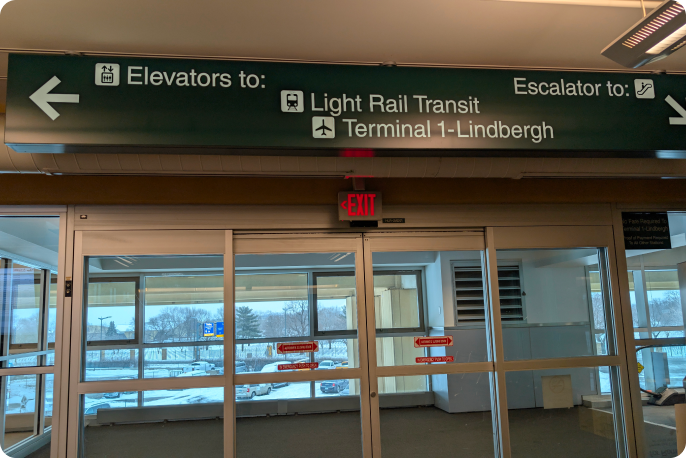
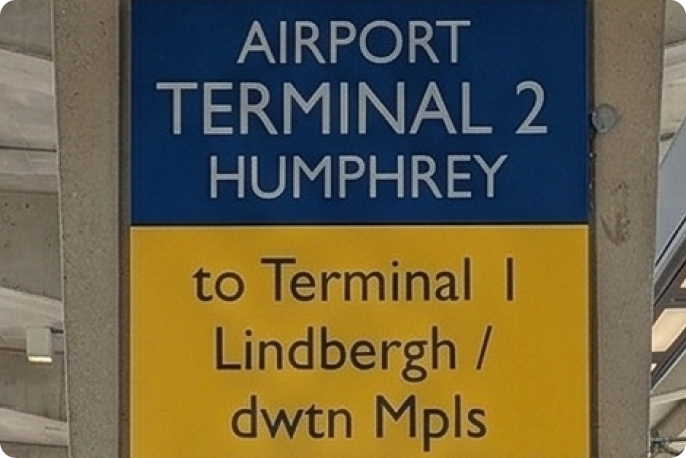
5. Look for airport terminal 2 Humphry sign
Turn left and make sure to look for signs for Terminal Lindbergh / Downtown Minneapolis.
6. Proceed to tram
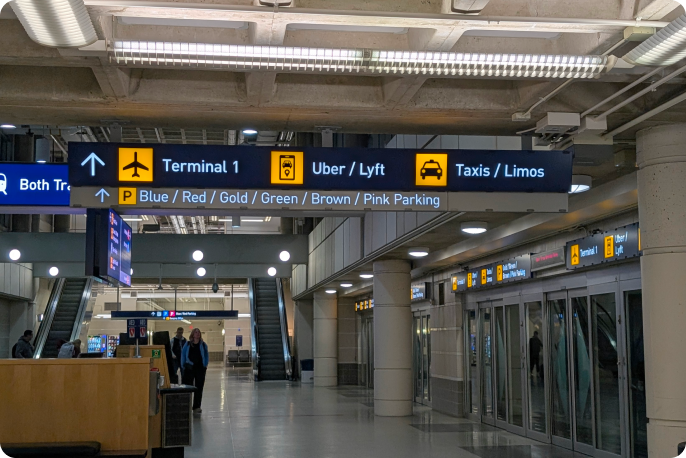
To get to green parking and Terminal 1. Take the Tram to get to Terminal 1 (1 Stop).
7. Take escalator upstairs
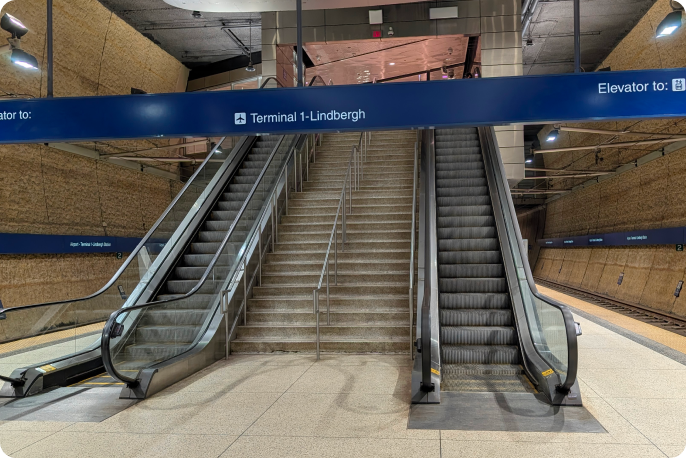
From the Light Rail Transit Terminal 1. Go up two levels and you start to see the "Green Parking" signs.
8. Follow signs for "Green Parking".
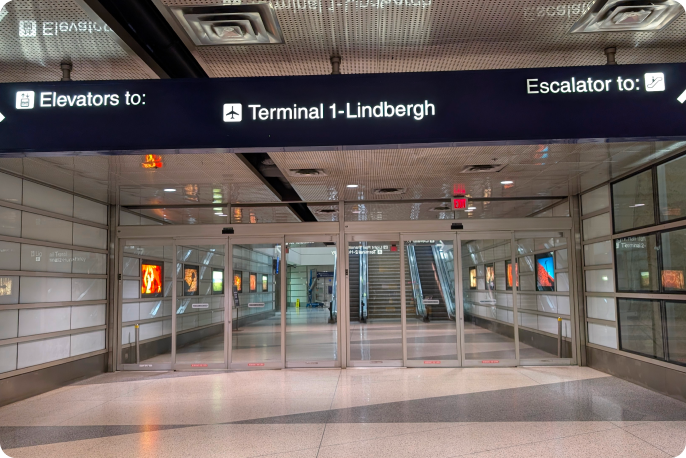
Follow "Green Parking" signs until you get to the elevator.
9. Find your vehicle
The Green Parking elevator will be on the left hand side.
Directions to Gold Parking Ramp
Minneapolis–St. Paul International Airport (MSP)
From Terminal 1
1. Proceed to the Parking Ramp
From the Baggage Claim, follow signs to “Ground Transportation and Parking”.
2. Take the escalator
Take the escalators down one level.
3. Take the elevator
Take the elevator that is between both escalators to "T".
4. Exit the elevator
Still following signs for the "Ground Transportation and Parking".
5. Continue straight
Follow signs for "Gold Parking".
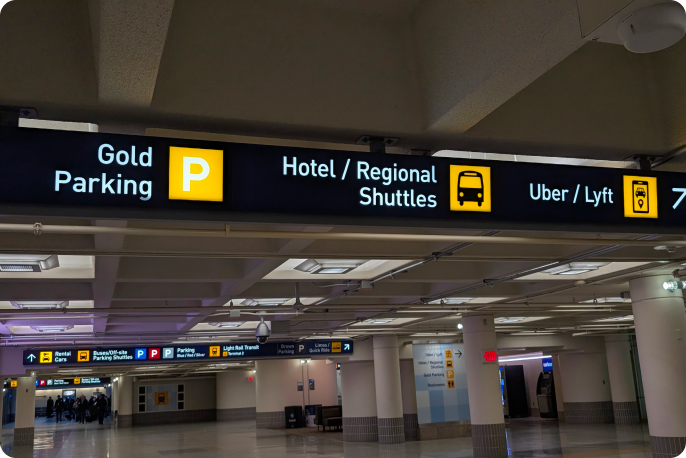
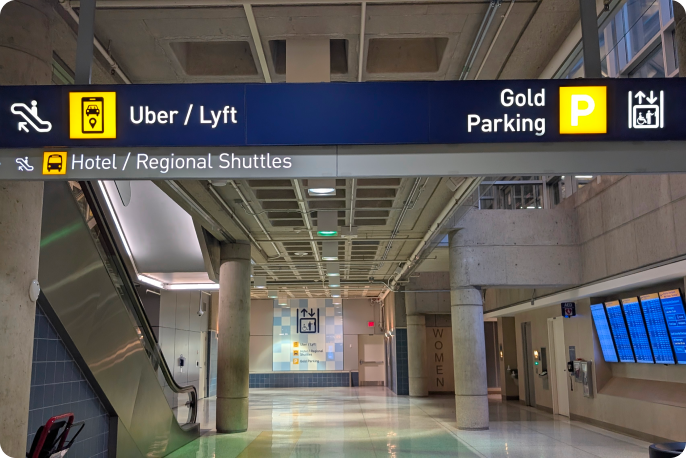
6. Find your vehicle
The Gold Parking elevator will be on the right hand side.
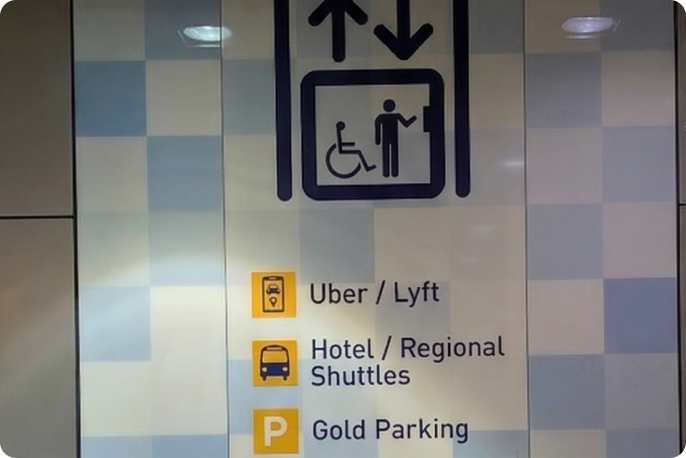
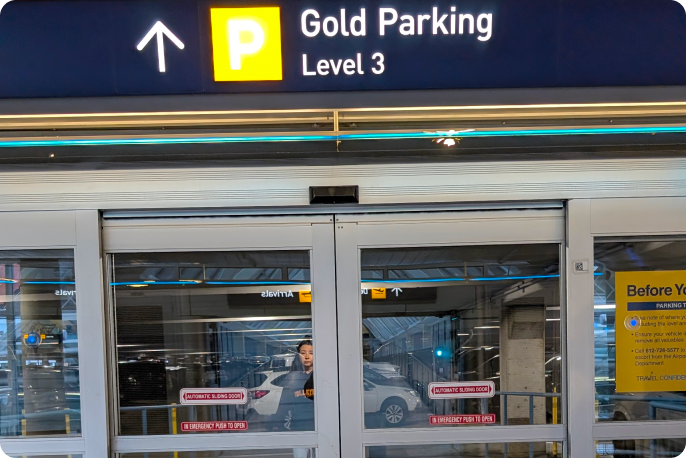
From Terminal 2
1. From Baggage Claim
Follow signs to Light Rail Transit and go pass check in counter on your left towards the end of the Building (Arrivals).
2. Take elevator
Take the Elevator or stairs on your right and follow signs to Gates H Security Check Point 1 Light Rail Transit Terminal 1 / Orange Parking.
3. Continue to skyway
Turn right into the Skyway and at the end of the hallway turn left.
4. Proceed to light rail
At the end of the walkway turn left go down the stairs into the Light Rail Transit Ramp. No fare needed between Terminals.
5. Look for airport terminal 2 Humphrey sign
Turn left and make sure to look for sigs for Terminal Lindbergh / Downtown Minneapolis.
6. Proceed to tram
To gold and Terminal 1. Take the Tram to get to Terminal 1 (1 Stop).
7. Take escalator upstairs
From the Light Rail Transit Terminal 1. Go up two levels and you start to see the "Gold Parking" signs.
8. Follow signs for "Gold Parking".
Follow "Gold Parking" signs until you get to the elevator.
9. Find your vehicle
The Gold Parking elevator will be on the left hand side.
Directions to Red and Blue Parking Ramp
Minneapolis–St. Paul International Airport (MSP)
From Terminal 1
1. Proceed to the Parking Ramp
From the Baggage Claim, follow signs to “Ground Transportation and Parking”.
2. Take the escalator
Take the escalators down one level.
3. Take the elevator
Take the elevator that is between both escalators to "T".
4. Exit the elevator
Still following signs for the "Ground Transportation and Parking".

5. Continue Straight
Continue straight to take the Tram. The Tram (Level T) is one stop only.

6. Exit the Tram
Follow signs for Red and Blue Parking.
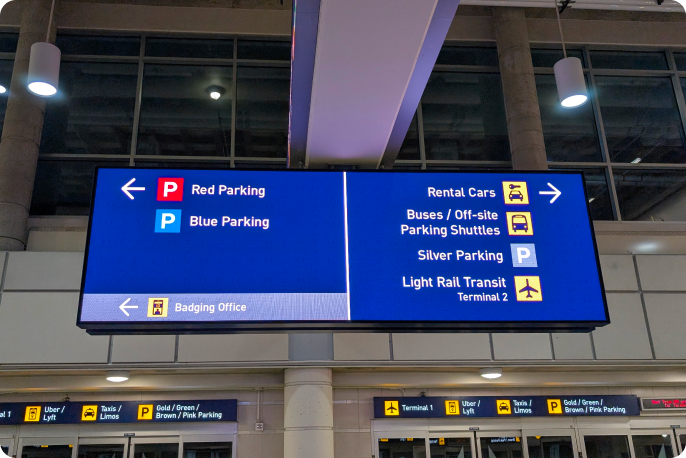
7. Continue to Elevator
For Red and Blue Ramps turn towards the dead end wall to take the elevators.
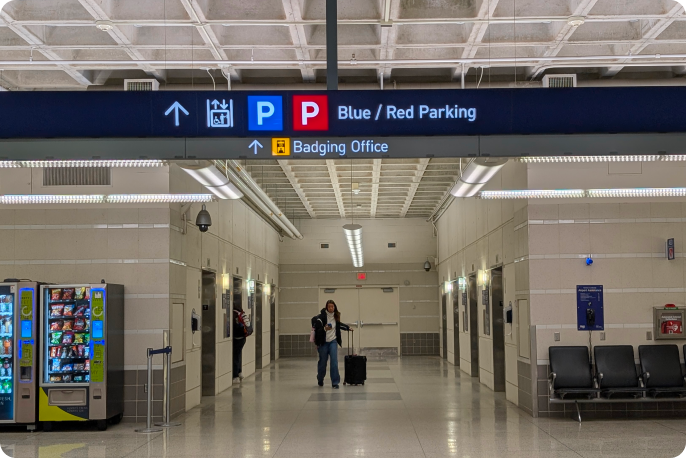
8. Exit the elevator
Follow the level directory for Red and Blue Parking.
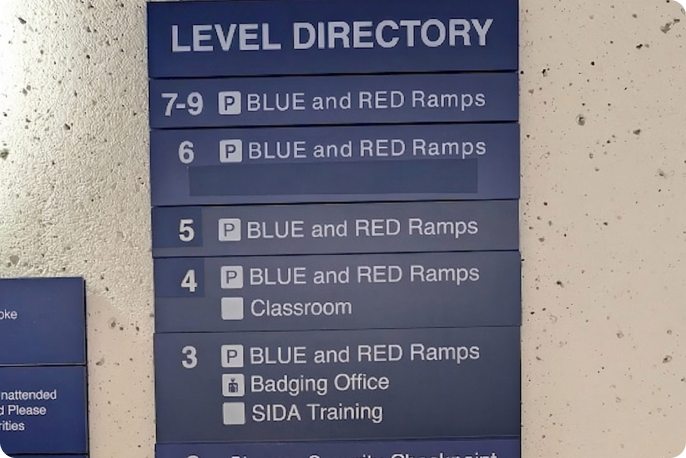
9. Find your vehicle
Follow signs to wither Red or Blue Parking Ramp.
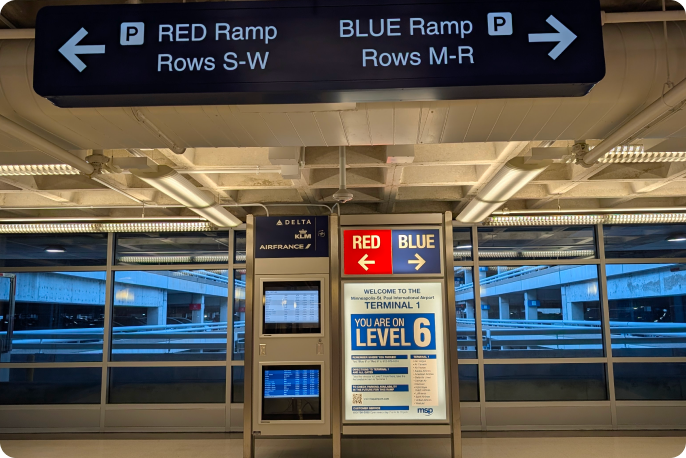
From Terminal 2
1. From Baggage Claim
Follow signs to Light Rail Transit and go pass check in counter on your left towards the end of the building (Arrivals).
2. Take the elevator
Take the elevator or stairs on your right and follow signs to "Gates H Security Check Point 1 Light Rail Transit Terminal 1 / Orange Parking".
3. Continue to Skyway
Turn right into the Skyway and at the end of the hallway turn left
4. Proceed to Light Rail
At the end of the walkway turn left go down the stairs into the Light Rail Transit Ramp. No fare needed between Terminals.
5. Look for Airport Terminal 2 Humphrey sign
Turn left and make sure to look for sigs for Terminal Lindbergh / Downtown Minneapolis.
6. Proceed to Tram
Continue straight to take the Tram. The Tram (Level T) is one stop only.
7. Exit the Tram
Follow signs for Red and Blue Parking.
8. Follow signs for "Red and Blue Parking"
From the Light Rail Transit Terminal 1. Go up two levels and you start to see the "Red and Blue Parking" signs.
9. Continue to Elevator
For Red and Blue Ramps turn towards the dead end wall to take the elevators.
10. Exit Elevator
Follow the level directory for Red and Blue Parking.
11. Find your vehicle
Follow signs to either Red or Blue Parking Ramp.
Directions to Silver Parking Ramp
Minneapolis–St. Paul International Airport (MSP)
From Terminal 1
1. Proceed to the parking ramp
From the Baggage Claim, follow signs to “Ground Transportation and Parking”.
2. Take the escalator
Take the escalators down one level.
3. Take the elevator
Take the elevator that is between both escalators to "T".
4. Exit the elevator
Still following signs for the "Ground Transportation and Parking".
5. Continue straight
Continue straight to take the Tram. The Tram (Level T) is one stop only.
6. Exit the Tram
Follow signs for silver parking.
7. Proceed to elevator
Go through the glass doors all the way to the end of the elevator for silver ramp parking.
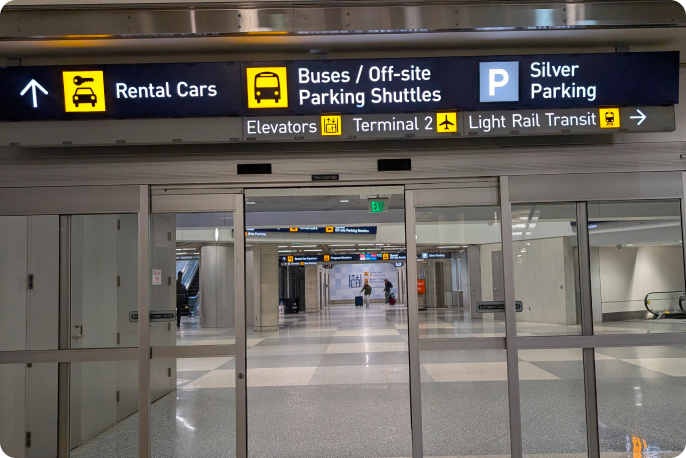
8. Find your vehicle
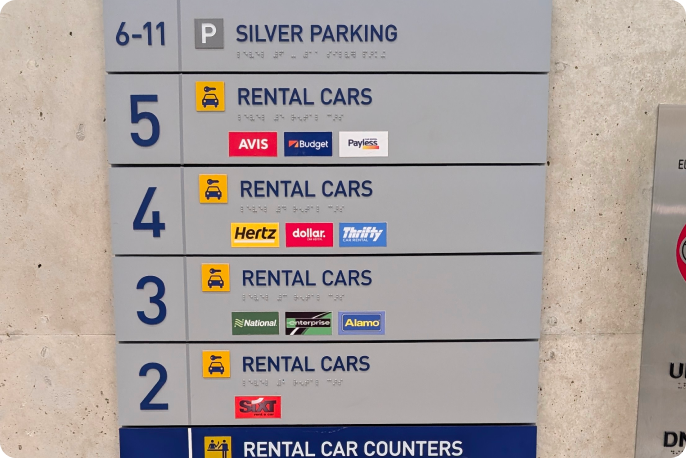
Take elevator to "P" silver parking.
From Terminal 2
1. From Baggage Claim
Follow signs to Light Rail Transit and go pass check in counter on your left towards the end of the building (Arrivals).
2. Take elevator
Take the elevator or stairs on your right and follow signs to "Gates H Security Check Point 1 Light Rail Transit Terminal 1 / Orange Parking."
3. Continue to Skyway
Turn right into the skyway and at the end of the hallway turn left.
4. Proceed to Light Rail
At the end of the walkway turn left go down the stairs into the Light Rail Transit Ramp. No fare needed between Terminals.
5. Look for airport terminal 2 Humphrey sign
Turn left and make sure to look for signs for Terminal Lindbergh / Downtown Minneapolis.
6. Proceed to Tram
Continue straight to take the Tram. The Tram (Level T) is one stop only.
7. Exit the Tram
Follow signs for silver parking.
8. Continue following "Silver Parking" signs
From the Light Rail Transit Terminal 1. Go up two levels and you start to see the "Silver Parking" signs.
9. Proceed to Elevator
Go through the glass doors all the way to the end of the elevator for silver ramp parking.
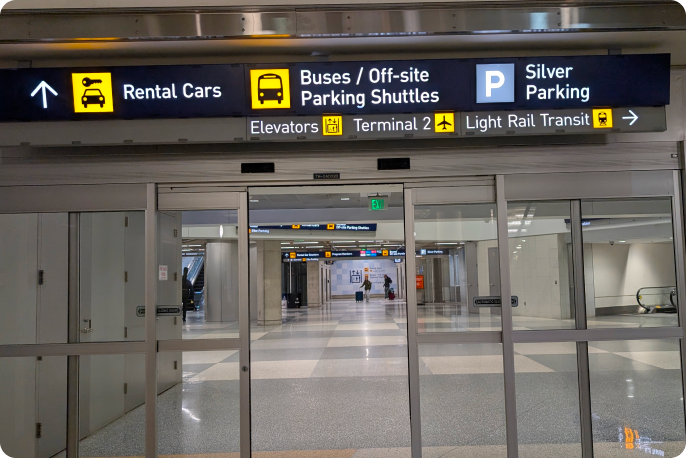
10. Find your vehicle
The silver parking elevator will be on the left hand side.