
Add a pickup location for seamless airport trips
Editor’s note: Updated on July 2, 2025 to reflect the most current information

Key takeaways
• Inconsistent guest experiences at airports lower the likelihood of guests using Turo for airport trips
• To help guests locate their car more easily, as of July 23, hosts delivering to permitted airports must now provide exact pickup location details in the app at check-in
• After parking at the airport, you’ll be required to upload a photo of your spot and enter additional parking information
• Save the parking details for locations you frequently use in your “Location & delivery” settings to save time at the airport
Airport delivery helps travelers avoid the hassle and paperwork of the car rental counter, and is a big earning opportunity for hosts. But inconsistent experiences can make airport trips unpredictable for guests, which lowers the likelihood that they’ll use Turo at the airport.
To create more consistent guest experiences and to simplify trip coordination for hosts, starting July 23, all permitted airport deliveries will require hosts to add a pickup location at check-in.
When you use the “Add pickup location” feature, your guests will automatically receive directions to help them easily find your car, and you’ll save time on messaging them back and forth to coordinate the pickup.

Once it’s required, hosts who do not add a pickup location for permitted airport deliveries may be subject to penalties and risk not being able to deliver to the airport.
Take a few minutes to save some basic details of the parking locations you frequently use at airports in your “Location & delivery” settings now. Then, all you’ll need to do at the approved airport parking location is drop a pin where you park, upload a photo of your parking spot, and add in your exact parking details as outlined below.
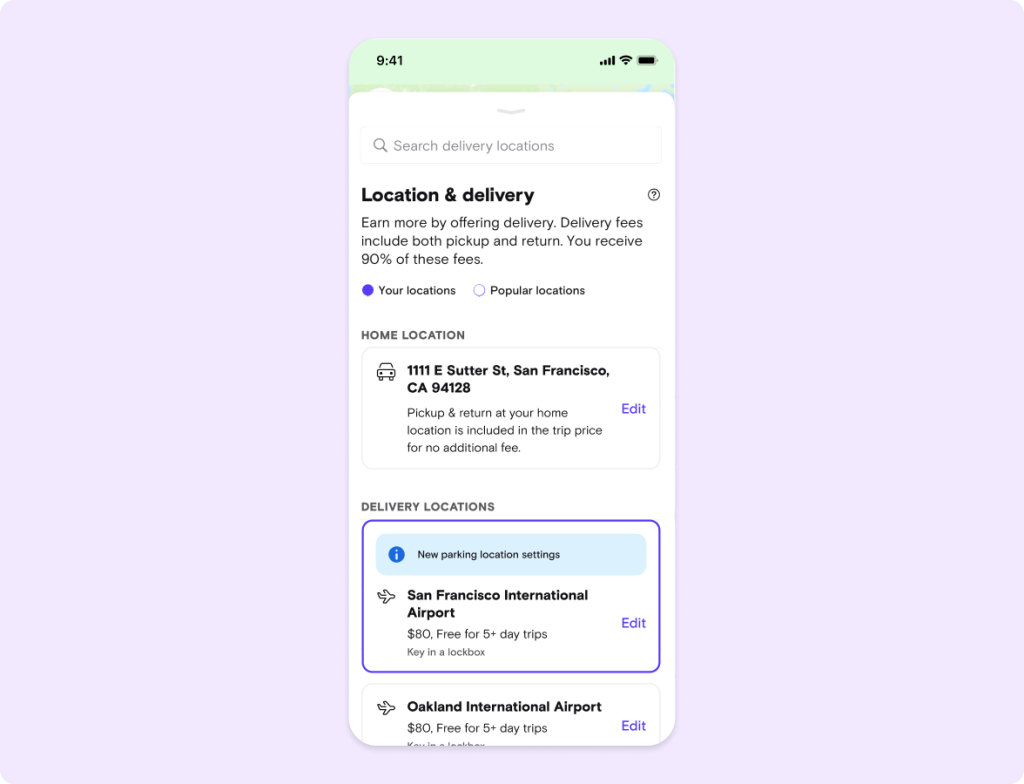
How adding a pickup location works

Before the trip
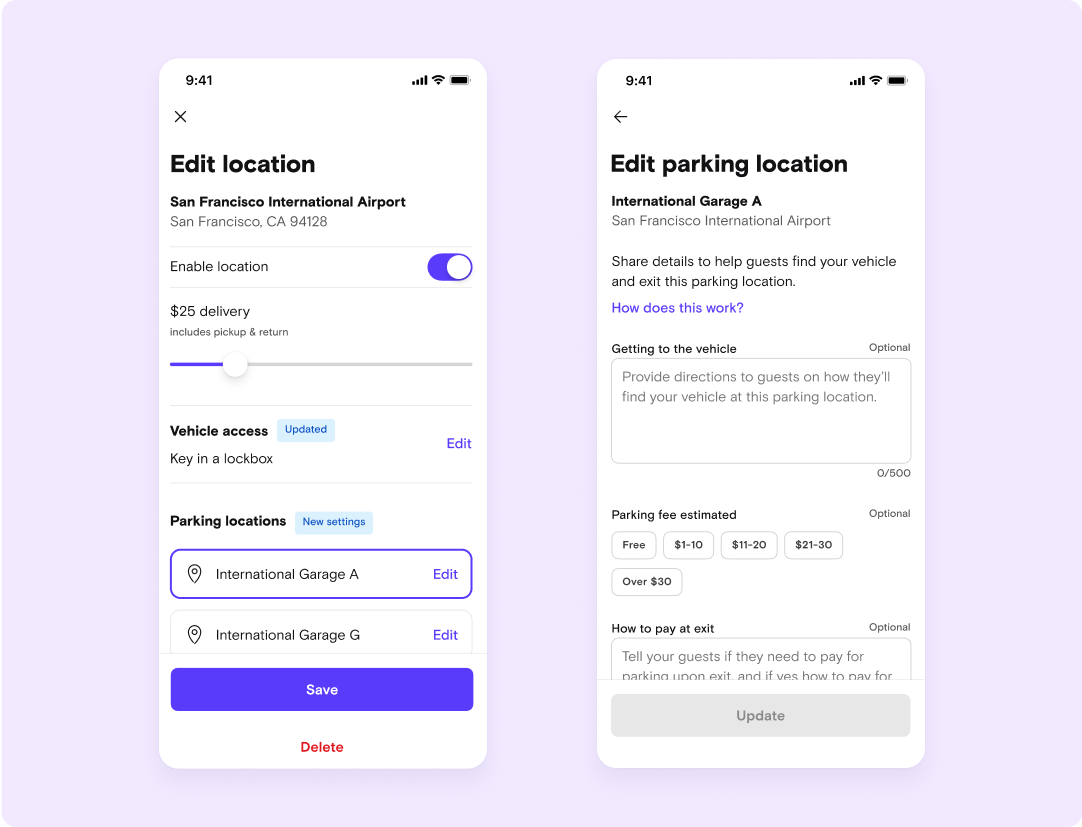
Add some basic details of the parking locations you frequently use for airport delivery ahead of time in your “Location & delivery” settings. You can re-use them to save time on all airport deliveries

At the airport
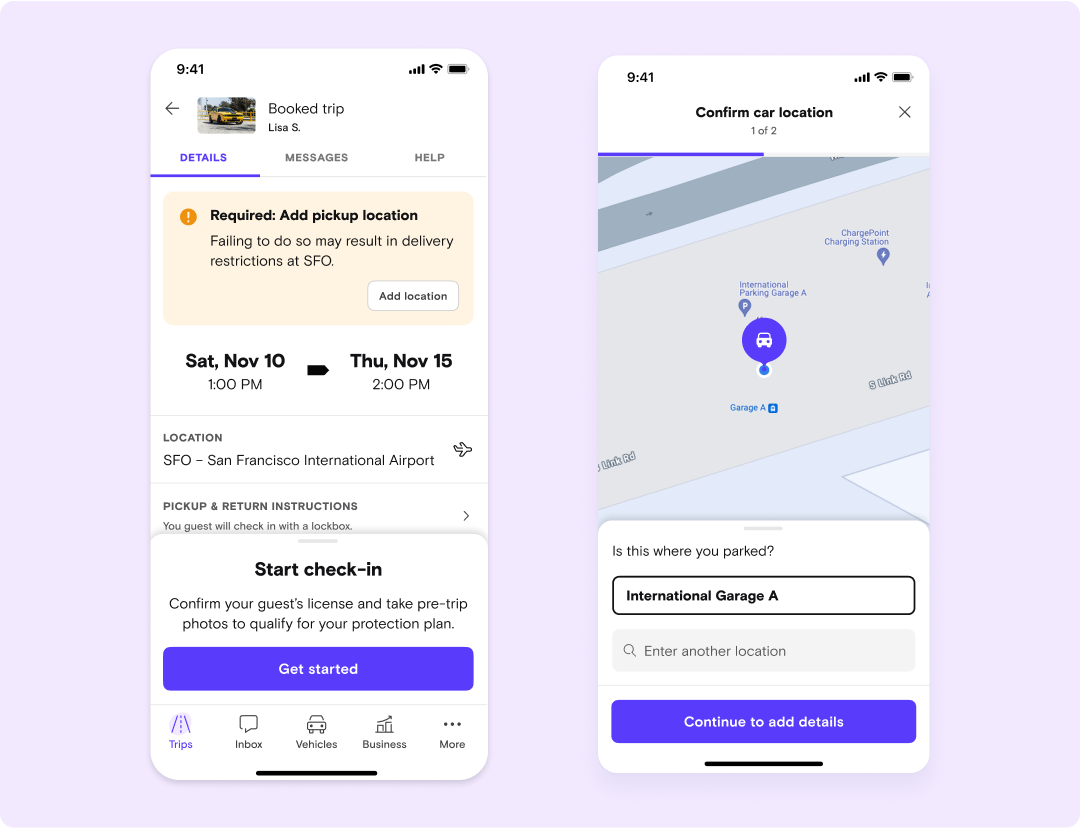
At check-in on your next airport delivery, drop a pin where the car is located once you’ve parked

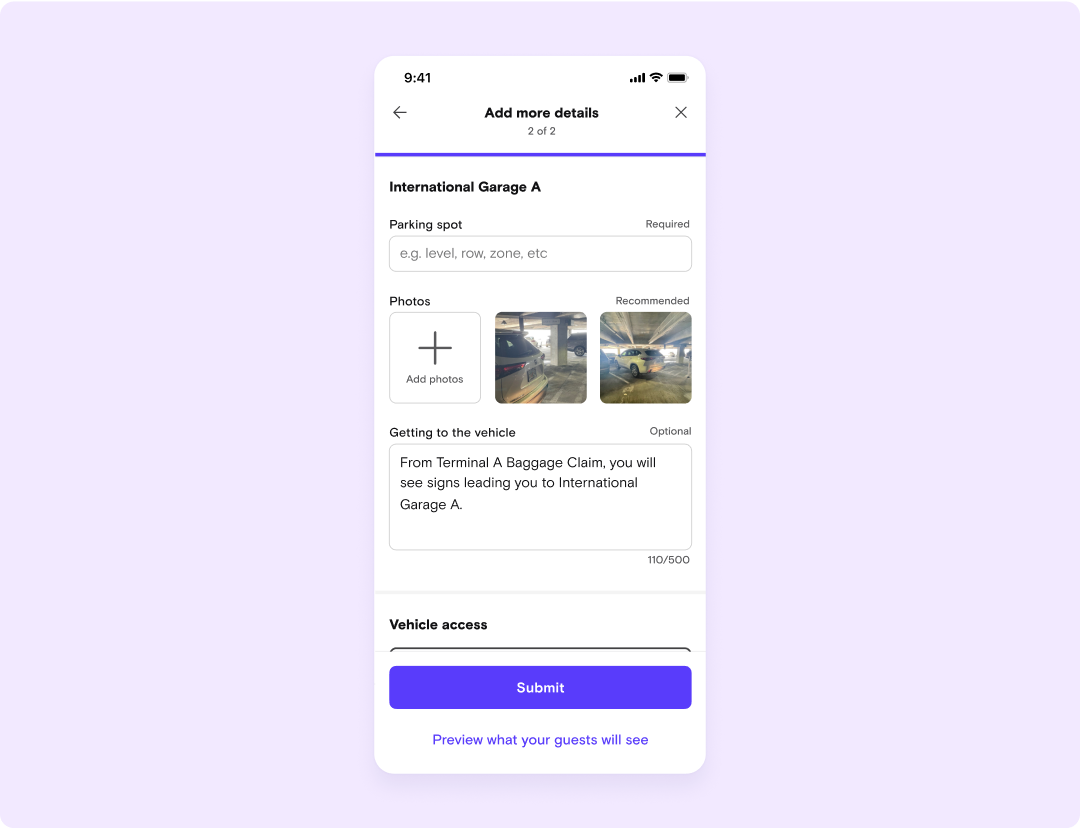
Upload a photo of your parking spot and add a few parking location details, like the parking space number or any additional instructions

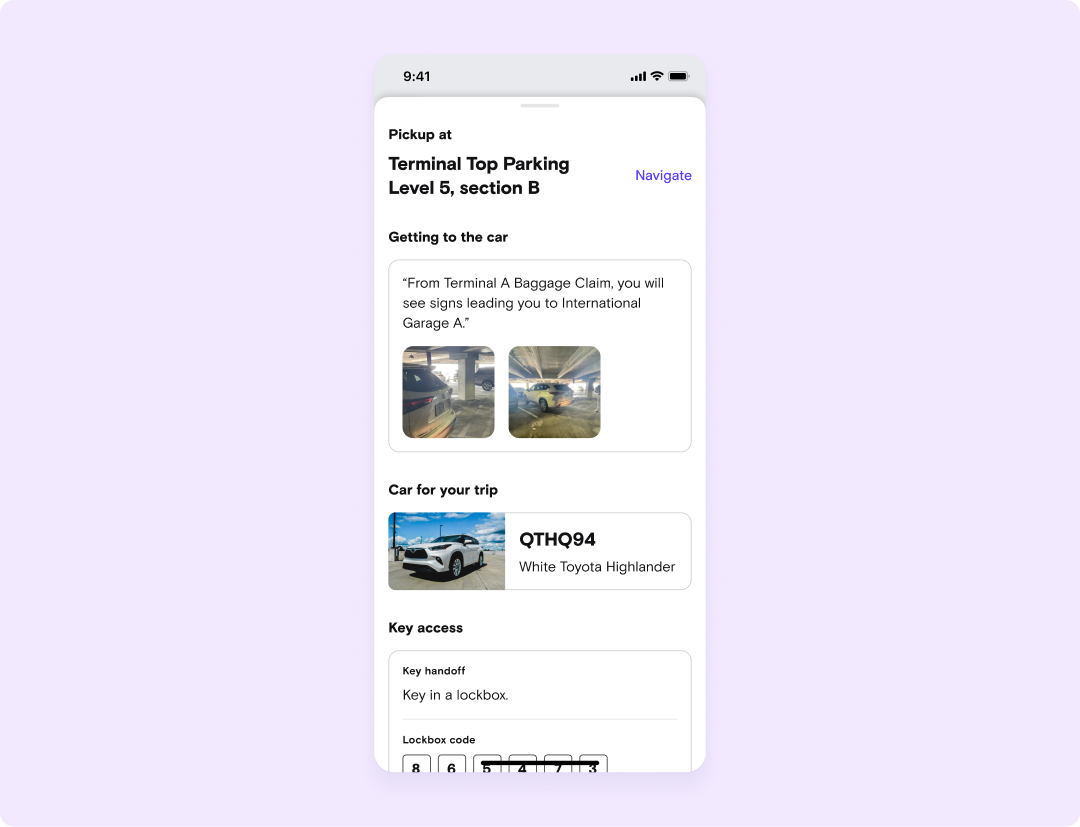
Turo will automatically send guests the location details and directions once their license is verified, up to one hour before the trip starts

Guests will see where they are permitted to return the vehicle at the end of the trip so hosts stay compliant with airport policies and avoid violations and fees

For easier airport navigation, guests will receive a step-by-step visual guide to get to approved parking locations at select airports
Get a head start today
The “Add pickup location” feature is already available at all permitted airports. You can start using it now to get familiar with it before it’s required for all permitted airport trips.
Remember to save the parking location details ahead of time in the “Location & delivery” settings, and you’ll save even more time on airport deliveries.
Was this article helpful?
We’d love to know if you understand the upcoming changes and what you’ll need to do. Answer a few questions and share your feedback.
Learn more about important changes to the airport delivery experience in our Fireside Chat.